

Beware of

Email Signatures

How to insert your new email signature


Below is the new standard email signature. Please replace with your information


SMU email logo

YOUR NAME
Your Title
510-879-3300
Pronouns

smu logo    picture    picture    picture    picture    picture


Logo, company name

Description automatically generated

YOUR NAME

Your Title

510-879-3300 

Pronouns

picture    picture    picture    picture    picture    picture


Steps to use this new standard email signature


To personalize your signature in the above template. Do not change the font, color or size. Do not add any personal quotes.
 

First, download this document.


Select all the elements in the signature and click “Copy”.


Sign into your Outlook in Office 365 or Outlook web app.

Click on the gear icon Outlook 365 settings gear icon for Outlook Settings in the top right of the screen.


Scroll down the settings menu that opens on the right.


Click on “View all Outlook settings” 
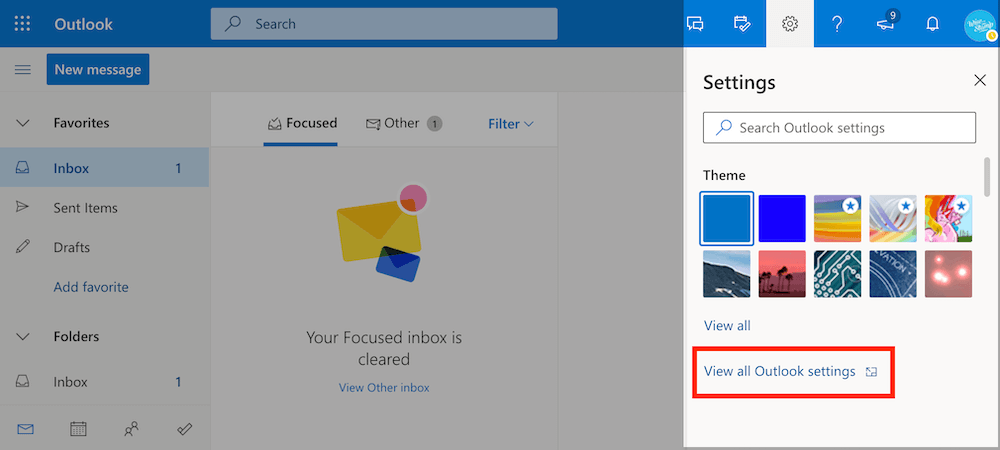
 

Add email signature to Outlook 365 and Outlook web app (OWA)- step 1


Select “Compose and reply” from the left sidebar.


Under “Email signature”, click “Paste”.
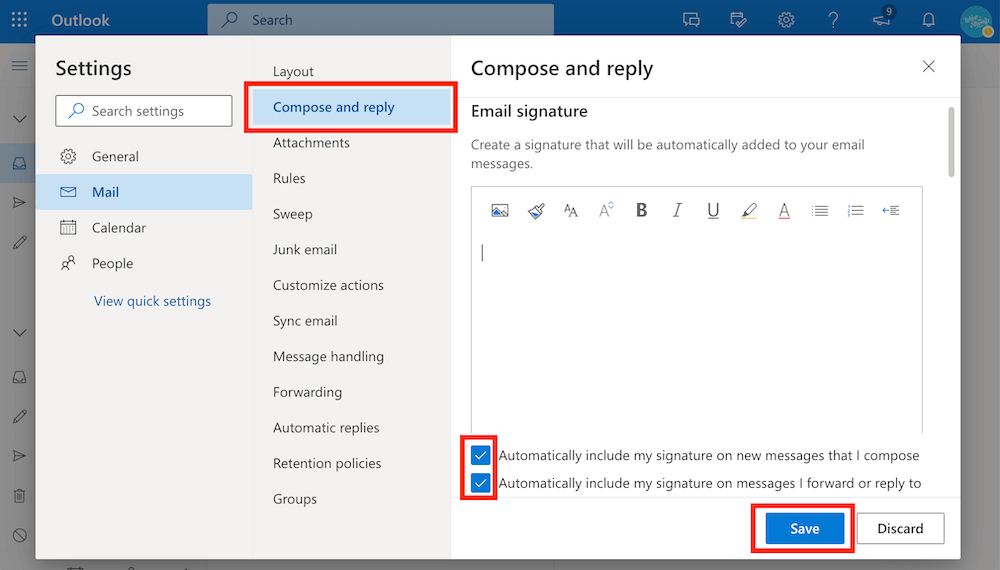
Add email signature to Outlook 365 and Outlook web app - step 2 - edit outlook signature


To set your signature to appear automatically make sure that the 2 default signature checkboxes for “new messages” and for “forward or reply” are checked (Outlook should check them as default option).


Click “Save”. That’s it, you’re all set up.
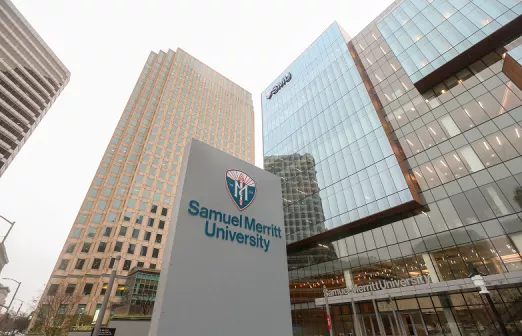


OUR CAMPUSES

Prepare for a career that makes a difference. Explore programs, connect with admissions, and take the next step toward becoming a healthcare professional.
View of the SMU Oakland Campus

Oakland

525 12th St.
Oakland, CA 94607

800.607.6377

View of the SMU Sacramento Campus

Sacramento

2710 N. Gateway Oaks Dr.
Suite 360
Sacramento, CA 95833

800.607.6377

View of the SMU Fresno Campus

Fresno

1791 E. Fir Ave.
Fresno, CA 93720

800.607.6377

View of the SMU San Francisco Peninsula Campus

San Francisco Peninsula

999 E. Hillsdale Blvd.
Foster City, CA 94404

800.607.6377

A student takes SMU program online.

Online Programs

admission@samuelmerritt.edu

800.607.6377

Job Scam Warning

We have been made aware of fraudulent job postings and offers that may appear to come from Samuel Merritt University. Please note:

  • All legitimate job postings are listed exclusively on our official Careers page.
  • Our recruiters will always contact you from an @samuelmerritt.edu email address. We do not use personal email accounts.
  • We will never ask for payment, banking information, or personal identification documents as part of the hiring process.
  • If you are unsure about the legitimacy of a job posting or communication, please contact us directly at recruiting@samuelmerritt.edu.

We take these scams seriously and are working with authorities and online platforms to remove fraudulent listings. If you believe you have been targeted, we encourage you to report the incident to the FTC (in the U.S.) or your local authorities.